
Bought a New Computer? We’ll Set It Up the Right Way.
Buying a new computer is exciting—until it’s time to transfer everything from the old one.
Many people expect to simply turn on a new laptop or desktop and continue where they left off. Unfortunately, that’s rarely how it works.
Files need to be transferred, printers reconnected, email accounts configured, software installed, and passwords entered. Before long, what should have taken an hour has turned into an entire weekend.
At SureTech Services, we make the transition simple.
We provide professional new computer setup services throughout Durham and the surrounding Triangle area. Whether you’ve purchased a Windows desktop, laptop, or all-in-one computer, we’ll get everything working the way you expect.
What’s Included in a New Computer Setup?

Every customer has different needs, but our setup service commonly includes:
- Initial Windows configuration
- Microsoft account setup
- Software installation
- Windows updates
- Driver installation
- File transfer
- Printer installation
- Wi-Fi setup
- Email configuration
- Browser setup
- Favorites and bookmarks transfer
- Security software installation
- Removing unnecessary trial software
- Connecting additional monitors
- Connecting external hard drives
- Scanner setup
- Webcam configuration
Our goal is simple:
When we’re finished, your new computer should feel familiar and ready to use.
Moving Everything from Your Old Computer
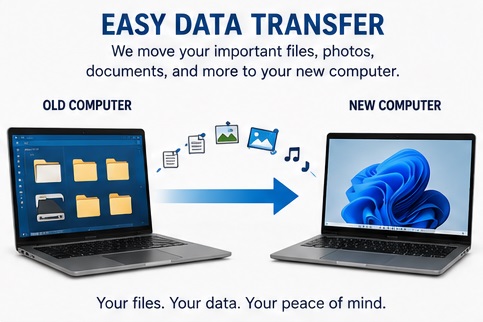
One of the biggest concerns customers have is whether they’ll lose their files.
In most cases, the answer is no.
We can transfer many types of data, including:
- Documents
- Photos
- Music
- Videos
- Downloads
- Desktop files
- Browser bookmarks
- Saved passwords (where supported)
- Email data
- Financial documents
If your old computer is still working, the process is usually straightforward.
Even if it’s beginning to fail, we may still be able to recover your important files before setting up the new system.
Installing Your Programs
A new computer doesn’t automatically include the software from your old one.
We’ll help reinstall programs such as:
- Microsoft Office
- QuickBooks
- Adobe Acrobat
- Zoom
- Google Chrome
- Mozilla Firefox
- Printer software
- Antivirus software
- Many other commonly used applications
If software requires license keys or account logins, we’ll help you reconnect everything whenever possible.
Connecting Your Printer
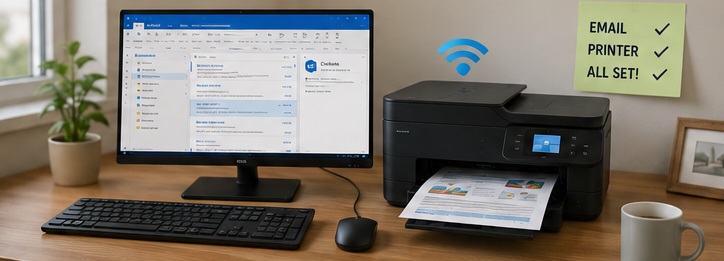
One of the most common frustrations after buying a new computer is discovering the printer no longer works.
We’ll reconnect:
- Wireless printers
- USB printers
- Laser printers
- Inkjet printers
- All-in-one printers
- Scanners
We’ll also verify that printing and scanning are both working correctly before we leave.
Setting Up Email
Moving to a new computer shouldn’t mean losing access to your email.
We can configure:
- Microsoft Outlook
- Gmail
- Yahoo Mail
- AOL Mail
- IMAP accounts
- POP accounts
- Microsoft 365 email
We’ll make sure your email is sending and receiving properly before considering the job complete.
Optimizing Your New Computer
Many new computers come with unnecessary software already installed.
Sometimes called “bloatware,” these programs can slow your computer and create unnecessary pop-ups.
During setup we’ll remove unnecessary software whenever appropriate, helping your computer start cleaner and perform better.
Home Office Setup
If you work from home, we’ll also help connect:
- Multiple monitors
- Wireless keyboards
- Wireless mice
- Docking stations
- Printers
- External hard drives
- Webcams
- Speakers
- Network storage devices
Everything will be tested before we leave.

Should You Transfer Everything?
Not always.
A new computer is often a great opportunity to organize old files.
Many customers choose to leave behind:
- Old downloads
- Duplicate pictures
- Unused programs
- Temporary files
- Outdated documents
We’ll help you decide what should be transferred and what can safely be left behind.
Technician Tip

Before replacing your old computer, make a list of every program you use regularly.
Many people remember Microsoft Office, but forget specialty software like accounting programs, label printers, photo editors, or tax software until after the old computer has already been disconnected.
Taking a few minutes to make a list beforehand can save hours later.
Frequently Asked Questions
How long does a new computer setup take?
Most setups can be completed in a few hours, depending on how much data needs to be transferred and how many devices need to be connected.
Can you transfer everything from my old computer?
We can transfer many types of personal data and settings. Some programs require reinstallation or new license activation, but we’ll explain what can and cannot be moved before we begin.
Will my printer still work?
In many cases, yes. We’ll reconnect your printer and install the proper drivers if needed.
Can you remove the trial software that came with my new computer?
Absolutely. We can remove unnecessary applications and help configure Windows for a cleaner experience.
Can you come to my home?
Yes.
One of the advantages of choosing SureTech Services is that we come to you.
Many new computer setups can be completed in your home, allowing us to reconnect your existing equipment without you having to disconnect everything and bring it to a repair shop.
Related Services
If you’re setting up a new computer, you may also be interested in:
- SSD Upgrades
- Wi-Fi Repair
- Printer Repair
- Outlook Repair
- Virus Removal
- Data Recovery
- Computer Running Slow
Why Choose SureTech Services?
We understand that setting up a new computer can feel overwhelming.
Instead of spending hours searching online for answers, let us handle the setup for you.
We’ll make sure your files are transferred, your devices are connected, your software is installed, and your new computer is ready to use before we leave.
Our goal is to make your transition as smooth and stress-free as possible.
Schedule Your New Computer Setup Today
Whether you’ve purchased a new desktop, laptop, or all-in-one computer, SureTech Services can help you get up and running quickly.
We proudly provide in-home computer setup throughout Durham, Chapel Hill, Cary, Hillsborough, Morrisville, Research Triangle Park, and surrounding communities.
Call today to schedule your new computer setup and let us handle the technical work for you.
New Computer Setup in Durham, NC